
A Complete Real-World SaaS Project Plan — From Idea to Subscription
Why End-to-End Clarity Is Your Greatest Advantage
Most SaaS guides give you pieces of the puzzle. You read about MVP tips, pricing models, or tech stacks—but rarely how they all connect. That gap leaves founders guessing and projects stalling.
This plan is different. It’s a complete, real-world workflow that mirrors how successful SaaS products are built and launched. Whether you’re a solo founder or leading a team, this is your roadmap from idea to subscription.
1. Idea Validation: Is This Worth Building?
Before writing a line of code, answer these questions:
- Problem Clarity: Can you define the exact pain point in one sentence?
- Target Audience: Who feels this pain most acutely? (Be specific: “Marketing managers at 50–200 person tech companies,” not “businesses.”)
- Manual First: Can you simulate the solution manually (e.g., using spreadsheets, Google Forms, or Notion)? This proves demand before automation.
- Competition Check: If competitors exist, what will you do 10x better or differently? If none exist, ask why.
Real-World Tip: Offer a waitlist or pre-sale discount during validation. If you can’t get 50 emails or 5 early commitments, reconsider.
2. User Roles & Permissions: Who Does What?
Define access levels early—it shapes your database and UI.
- Anonymous Visitors: Browse landing pages, sign up.
- Free/Trial Users: Access core features with limits (e.g., 1 project, 100 exports).
- Paid Subscribers: Full access, based on their plan tier.
- Team Admins: Can invite/manage team members.
- Super Admins (You/Your Team): Full system access, view analytics, manage billing.
Pro Insight: Use a role-based access control (RBAC) system from day one. It’s harder to bolt on later.
3. Core Modules: The Building Blocks
Break your SaaS into independent but connected modules.
- Authentication Module: Sign-up, login, password reset, OAuth (Google/GitHub).
- User Dashboard: The main hub after login.
- Core Feature Module: The unique value (e.g., document editor, analytics tool, automation workflow).
- Billing Module: Handles plans, subscriptions, invoices, card updates.
- Settings Module: User profile, team management, notifications.
- Admin Module: (More on this below.)
Keep It Modular: This lets you develop, test, and scale each part separately.
4. Pricing Logic: How You’ll Make Money
Pricing is more than numbers—it’s a strategy.
- Freemium: Free plan with limits, paid plans for more capacity.
- Free Trial: Full access for 7–14 days, then pay.
- Tiered Pricing:
- Basic: $19/month, core features, single user.
- Pro: $49/month, advanced features, 5 users.
- Business: $99/month, full features, unlimited users.
- Metered/Billing: Charge based on usage (e.g., per 1000 emails, per GB stored).
- Annual Discount: Offer 20% off for yearly payments to improve cash flow.
Crucial: Your pricing should match how customers perceive value. Charge for outcomes, not just features.
5. Admin Panel: Your Mission Control
Don’t build this last. You’ll need it from launch.
- User Management: View, filter, deactivate users.
- Financial Overview: MRR, churn, lifetime value, recent payments.
- Feature Metrics: Most-used features, activity logs.
- Customer Support Tools: Impersonate user accounts to debug issues.
- System Health: API status, server load, error logs.
Build for Insight: Your admin panel is how you understand your business. Plan it like a core product.
6. Deployment Checklist: Going Live
Launch is more than pushing code. Cover these bases:
- Infrastructure:
- Hosting (AWS, DigitalOcean, Vercel)
- Database (managed PostgreSQL preferred)
- File storage (S3, Cloudflare R2)
- Security:
- SSL certificates enabled
- Environment variables (no secrets in code)
- DDoS/Bot protection (Cloudflare)
- Performance:
- CDN for static assets
- Database indexing
- Caching strategy (Redis)
- Compliance:
- Privacy Policy & Terms of Service (use a generator if needed)
- GDPR/CCPA readiness (cookie consent, data export)
- Pre-Launch:
- Email setup (transactional emails via SendGrid, Resend)
- Error monitoring (Sentry, LogRocket)
- Backup system (automated daily backups)
Go-Live Step: Soft launch to your waitlist first. Fix issues, then public launch.
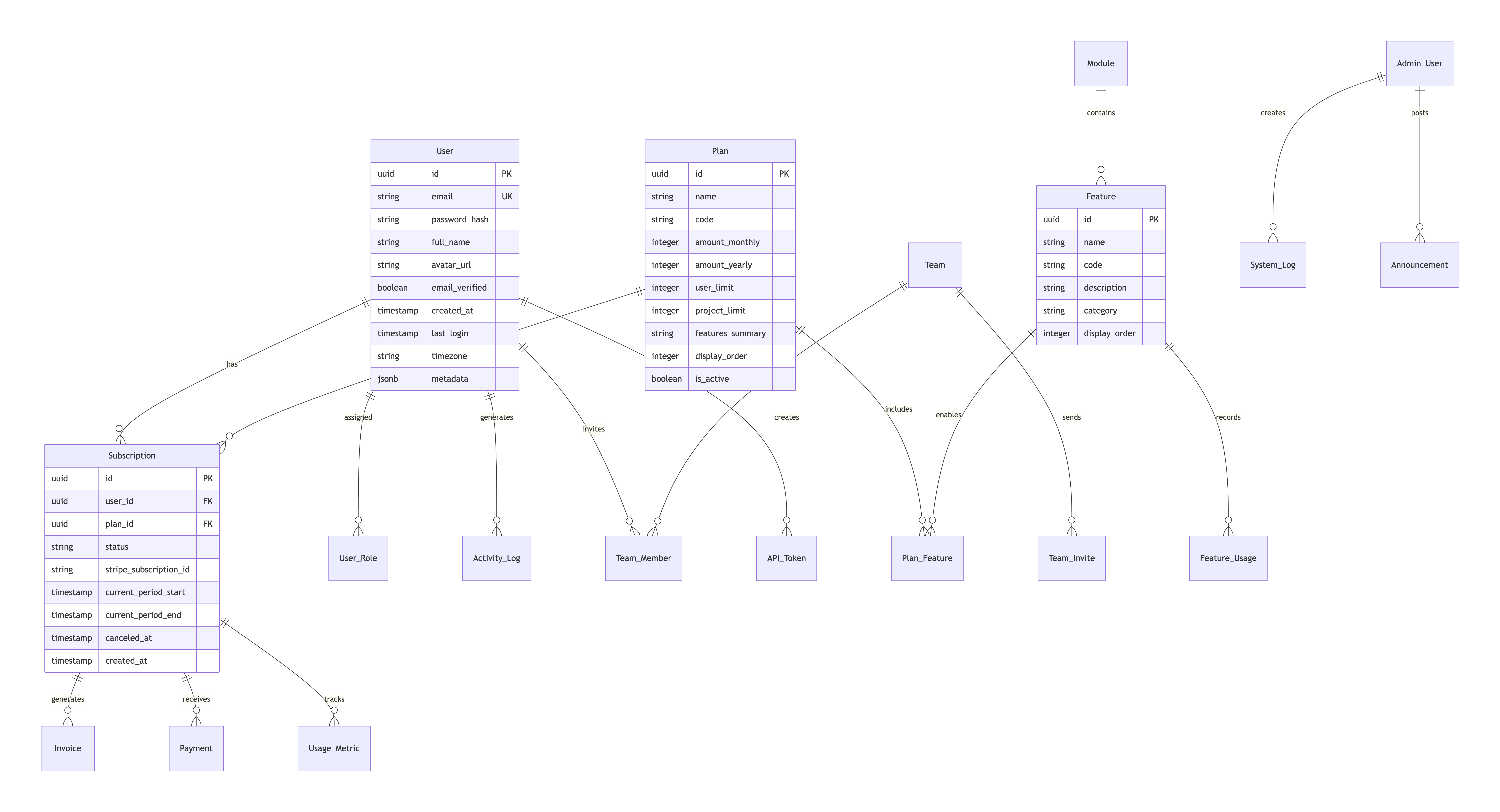
Your Perfect Match for SaaS Success
This plan mirrors the real-world journey—not just theory. Each phase informs the next, keeping your build focused and efficient.
If you have experience with even one part of this flow (like setting up billing or defining user roles), you’re already ahead. Use that knowledge as your foundation.
Next Action: Take your idea and map it against these six sections. Where are you strongest? Where do you need research or help? That’s your starting point.
Building a SaaS is a marathon, but with a clear map, you won’t be running in circles. Start with validation, build with roles and modules in mind, price for value, and launch with confidence.
Ready to build? Pick the section that feels most urgent and dive in. Your subscription revenue awaits.


Your Feedback
Help us improve by sharing your thoughts


Online Learner helps developers master programming, database concepts, interview preparation, and real-world implementation through structured learning paths.
Quick Links
© 2023 - 2026 OnlineLearner.in | All Rights Reserved.